Awesome icons download for android 14 (Upside Down Cake)
APK file Awesome Icons 0.15.3 compatible with Android 14How to install APK / APKS / OBB file on Android

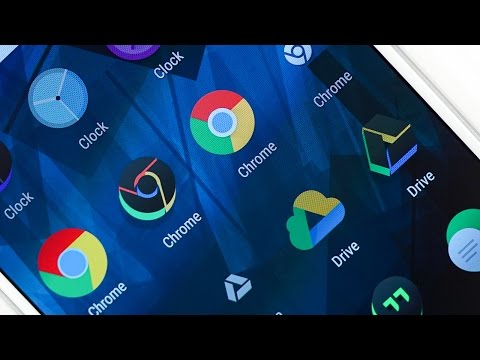

**NOTE: Android 8.0 and newer adds a small icon next to your customized icon. It's not possible to remove that due to Android limitations.**
Awesome Icons lets you customize your home screen icons with icon packs and your own pictures. It works with most launchers and does not require root.
Download icon packs from the Play store and mix icons freely from any of them. You can also use your own pictures from the gallery or the camera to create your own icons. With Awesome Icons, you choose the style of each home screen icon individually.
Creating customized icons is easy: find the application and the icon pack you want, and create your new home screen icon with a single tap. You can also customize the label of the application or remove it completely.
You can use the app to personalize your icons with any launcher, including the stock Android launcher and the Google Now launcher.
Video review by TechnoBuffalo: https://www.youtube.com/watch?v=54U6ErWJAkU
Try these:
- Draw your own icons on paper and use the camera.
- Create icons with empty labels for a minimalistic look.
- Use a different style on each home screen page.
Features:
- Create customized icons for any application on your phone or tablet
- Pick any image from the gallery to use as an icon.
- Take pictures with the camera to create your own icons.
- Use icons from any icon pack installed from the Play store.
- Full access to all icons from all icon packs: use any icon for any app.
- Customize the label for your icons or remove it completely.
- No third party launcher or root is required.
- No impact on performance or battery life
- Works on any phone or tablet.
Please note that this app only changes home screen icons, not icons in the app drawer of your launcher.
- LicenseFree
- File nameAwesome Icons
- File Version0.15.3
- Package namecom.momocode.shortcuts
- Size1.9 MB
- UploadedDecember 24, 2019
- Android8.0 or later
- CategoryPersonalization
- DeveloperMomo apps
- Developer site
- Developer emailapps@momocode.com
- md5 hash4efb939b42d81413dd63e77138ff453d
- Architecture-
- Permissionsshow (3)